Discovered — Currently Not Indexed: What to Check
Diagnose unindexed pages with a practical workflow: confirm the status, group affected URLs, check access and discovery, then document changes and follow-up.
Updated
What the status tells you
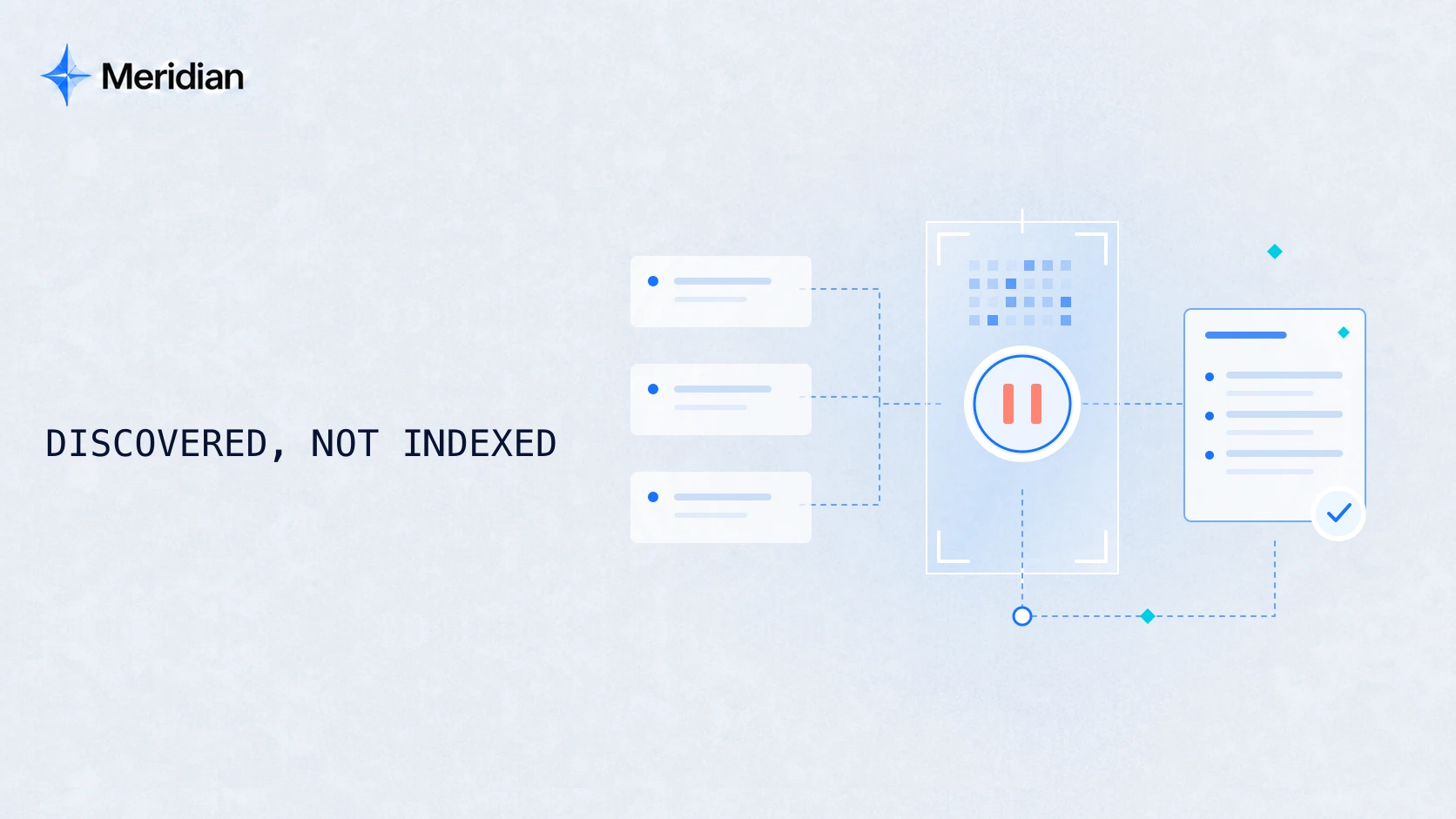
“Discovered — currently not indexed” means Google knows about the URL but has not yet crawled it. It differs from “Crawled — currently not indexed,” where a crawl has occurred. Treat the label as the starting state of an investigation, not proof of one particular cause. Google's Page indexing report documentation.
First decide whether this is a page you actually want in search. A core product page and a filtered duplicate should not enter the same repair queue. The workflow below is Meridian's practical triage method, informed by the linked Google documentation, reviewed on September 11, 2026. The worked scenario is illustrative, not a client result.
Confirm the URL and the current evidence
Open the exact URL in Search Console's URL Inspection tool. Record the property, URL, reported status, inspection date, and any available last-crawl information. Keep the indexed view and the live test separate: they answer different questions. A successful live test is not confirmation that the page is indexed. URL Inspection guidance.
Start one record with:
- The exact affected URL and the intended final URL.
- Its purpose: product, service, article, category, or a duplicate/utility page.
- Publication date and the date of the latest meaningful change.
- The report status, date, and evidence link or screenshot.
- What has already been checked and what access is still missing.
Do not turn an empty last-crawl field into a made-up date. If the page redirects, record both the requested URL and the destination. If a teammate reports a different result, compare the URL, date, and type of test before changing the diagnosis.
Group the affected pages before choosing a fix
Take a small, representative sample across templates and publication periods. Include an affected page and an indexed comparison page from the same page type where possible. The sample is for diagnosis; it is not a statistical estimate of the whole website.
| Page group | Useful comparison | Decision to make |
|---|---|---|
| Newly published commercial pages | Older pages using the same template | Is the new publishing path different? |
| A whole language section | Its other-language counterpart | Are links, URL rules, and language signals consistent? |
| Generated or parameter URLs | The intended canonical page | Should these URLs exist as separate search entries? |
| One isolated article | Similar articles that are indexed | Is the issue local to this page or shared across the template? |
Prioritize a page that answers a real customer need and has a defined next step. Avoid treating a higher count of non-indexed URLs as automatically worse: identify what those URLs are first.
Check access, discovery, and the intended page
Can the intended page be reached?
Inspect the response and redirect chain. Investigate errors, timeouts, and availability problems with the hosting or development team. If access is inconsistent, compare the observation time with server logs and Search Console crawl information; a successful browser visit is only one observation. Google's crawling troubleshooting guide.
Review robots rules and indexing directives separately. A robots.txt block controls crawling; it is not a substitute for noindex. Google must be able to fetch a page to see its noindex directive. Do not remove a deliberate restriction on a private, staging, or utility page just to reduce a report count. Google's noindex documentation.
Is the preferred URL consistent?
Check the destination, declared canonical, internal links, and sitemap entry together. Canonical declarations are signals rather than a command Google must accept. If the URL duplicates another page, first decide which version should represent the content. Canonical URL guidance.
Is there a useful discovery path?
Find a relevant, crawlable link from the site's navigation, a topic page, or related content. Check the actual destination. A sitemap can help discovery, but inclusion does not ensure crawling or indexing. Sitemap guidance.
For a large generated site, inspect the scale and value of the URL inventory alongside serving capacity. Do not diagnose a crawl-budget problem from this status label alone. Keep crawl evidence, server evidence, and content decisions in separate fields until the evidence connects them.
Turn the investigation into a task
Illustrative scenario: a new service page is in the sitemap, but its only internal link points to an older URL that redirects elsewhere. Other services use a consistent navigation path.
The observation supports an internal-link correction. It does not establish that this is the only reason Google has not crawled the page. A useful task record would look like this:
| Field | Example record |
|---|---|
| Observation | The service navigation points to an outdated destination |
| Evidence | Requested URL, redirect destination, and the link's actual href |
| Recommended action | Update the relevant navigation link to the intended service URL |
| Owner | Website developer or CMS editor |
| Technical acceptance | The link reaches the intended page directly; response, canonical, and sitemap agree |
| Search follow-up | Reinspect later and record whether Google has crawled or indexed the URL |
| Remaining uncertainty | Other crawl, quality, or site-level factors have not been ruled out |
Use the downloadable indexing investigation worksheet to create a record for your own page. For a real example of URL consistency work on our website, inspect the Meridian audit finding and retest. That example documents a technical correction, not a claim that it resolved this specific Search Console status.
Verify the change, then monitor the search outcome
After implementation, repeat the checks that established the finding. Keep the before evidence, change date, responsible person, and retest result together. A passed technical check closes that task; it does not close every possible cause of non-indexing.
Where appropriate, request indexing for an important changed URL or submit an updated sitemap for a broader set. Google states that crawling can take days to weeks, that repeated requests do not accelerate crawling, and that a request does not guarantee inclusion. Recrawl guidance.
Agree on a follow-up date with your team. At that point, record the new observed state rather than assuming an improvement: still discovered, crawled but not indexed, or indexed. If the state changed, the next investigation may need to change too.
When to bring in a technical audit
Consider a scoped technical SEO audit when the pattern spans templates, the affected pages matter commercially, the cause remains uncertain, or several teams own the possible fixes. Bring a URL sample, the checks already completed, and the available Search Console or log access.
If a known fix needs ongoing development coordination or release checks, compare ongoing technical SEO support. The useful next step depends on whether you need a diagnosis, help implementing a known change, or continuing review.
Common questions
Should every URL be indexed?
No. Establish which canonical, customer-facing pages should be search entries. Duplicates and deliberately excluded pages need a different decision from important pages unexpectedly missing from search.
Does a successful live test mean the issue is fixed?
It confirms only what that test checked at that time. Keep the result separate from Google's stored index status and from whether the page receives useful search visits.
Should I keep resubmitting the same URL?
Repeated unchanged requests are not a diagnosis. Record the state, investigate the evidence, make a justified change where needed, and follow up.